Microsoft Office – Word, Power Point and Excel Training
About Course
Learn how to use Microsoft Office – boost your confidence and stand out on job applications or school projects.
Our prerecorded lectures help you to walk through the steps needed to learn and be proficient in Microsoft Office. Learn how to create, save and edit files. Understand how to create and email a power point presentation. Realize the potential of spreadsheets and how they can increase your productivity and so much more.
Need a computer? We’ve got you.
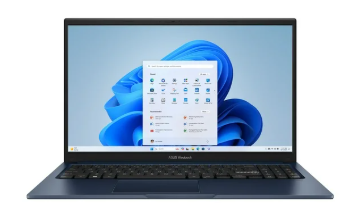
Everything in this class is done in Word, PowerPoint and Excel, so you’ll need a Windows laptop. If you don’t have one, we’ll get one for you.
$150 – and it’s yours to keep.
We order laptops as requests come in and ship them straight to your door, so the exact brand and model will vary, but every laptop will have at least:
- Windows 11
- Intel Core i5 or better
- 8 GB of memory
- 256 GB of storage
- 14 inch screen
Microsoft Office isn’t included, and you don’t need to buy it. The free online version of Word, Excel and PowerPoint works for everything in this class – just sign in with a free Microsoft account. If your family already has Microsoft 365, that works too.
A few things to know: the laptop is a separate purchase from the class and is paid directly to GCE – it can’t be paid for with scholarship funds. Once it’s in your hands it’s yours. If it is damaged, lost or stops working, GCE will not repair or replace it.